
When you log in
Stella opens on your Report List, with a prompt to pick a report. Nothing is selected yet — that's normal.
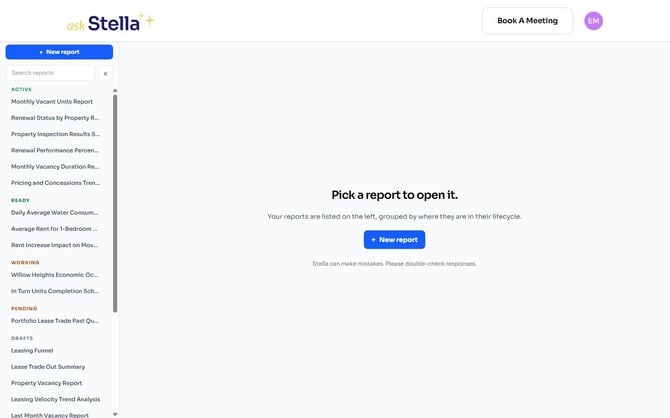
Your reports are grouped by where they are in their life — Active, Ready, Working, Pending and Drafts — so the ones needing your attention sit together. Click any report to open it, search to narrow a long list, or click + New report to start a new one.
Your profile
Click the circle with your initials, at the top right of any page, to open your profile.
There you'll find:
- the email address on record
- the subscription status of the account
- the property management system Stella is connected to for your reports
- Connecting your data
- Subscriptions and starting a trial
- Waitlist and how to get off it
Wait — how do I change my password?
You don't have one. Stella doesn't store passwords: signing in uses either a secure link sent to your email, or your LinkedIn account.
Getting help
Book A Meeting, at the top right of every page, books time with the Stella team.
Inside a report, the panel on the right also has Talk To a Human for questions about that particular report.